
Looking for a safe and official way to install the 666D APK on your phone? This complete guide shows you exactly how to download the 666D APK for Android and set it up on an iPhone, including common error fixes.
Because 666d game is shared directly through its website rather than a major app store, the setup differs slightly from a typical download. Nevertheless, the process remains simple once you know what to do next. In the sections below, you will find the requirements, step-by-step instructions for Android and iPhone, and tips for avoiding fake files. Additionally, we have included fixes for the errors people run into most often, so you can get started with confidence.
666D APK Details at a Glance
Before you start, take a moment to review the basics. These details help you confirm that the file on your phone matches the one you expect.
| Detail | Information |
|---|---|
| App name | 666D |
| Version | v2.5.1 |
| File size | 6.8 MB |
| Android requirement | Android 5.0 or higher |
| Last updated | October 2026 |
| Price | Free to download |
How to Download 666D APK on Android?
Installing 666D on Android is straightforward once you allow the necessary permissions. The entire process usually takes less than three minutes on a stable connection.
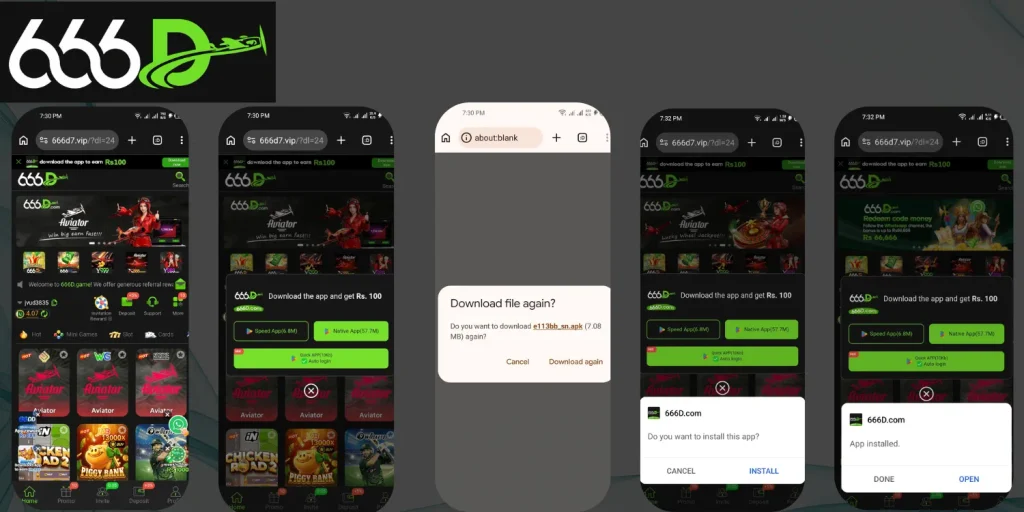
Allow Installation from Unknown Sources
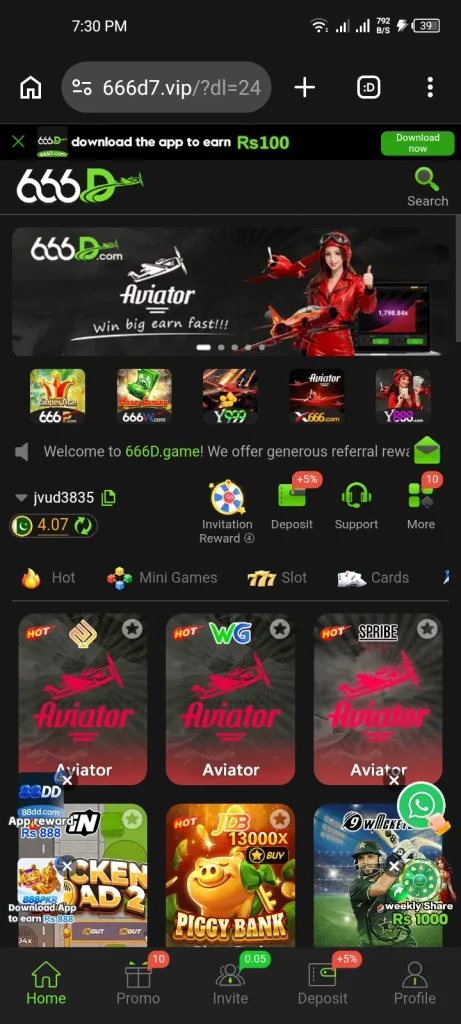
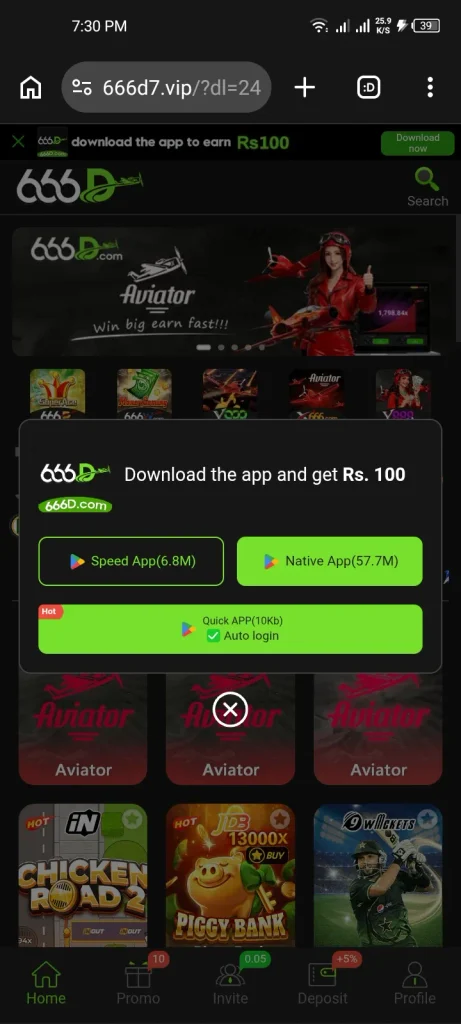
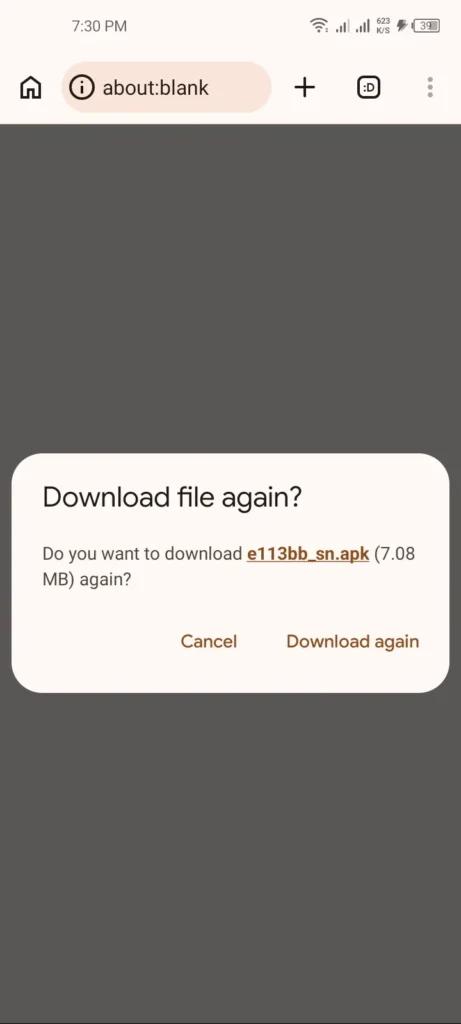
First, open the official download page in your mobile browser and tap the download button. Once the file begins downloading, your phone may display a security prompt. In that case, tap Settings and switch on the option that allows installs from this source. Most importantly, this permission applies only to the browser you are using, so you can turn it off again afterward.
Install and Open the App
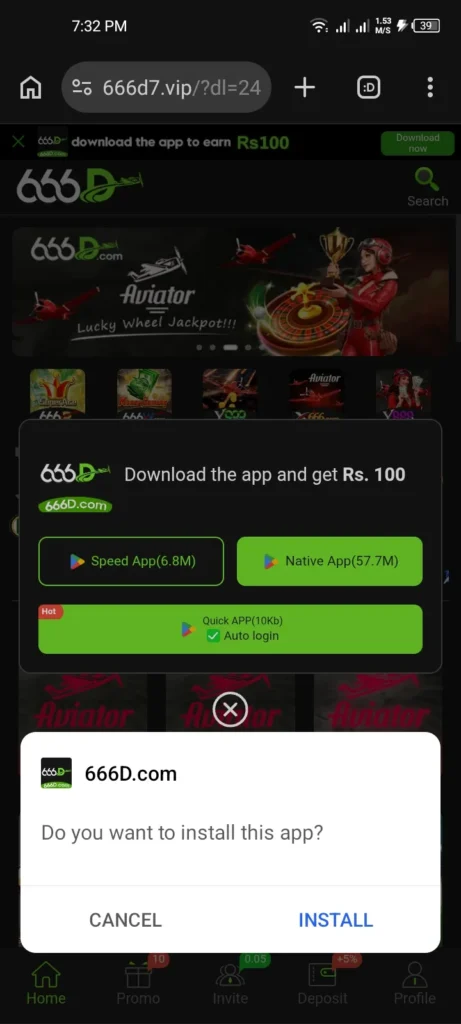
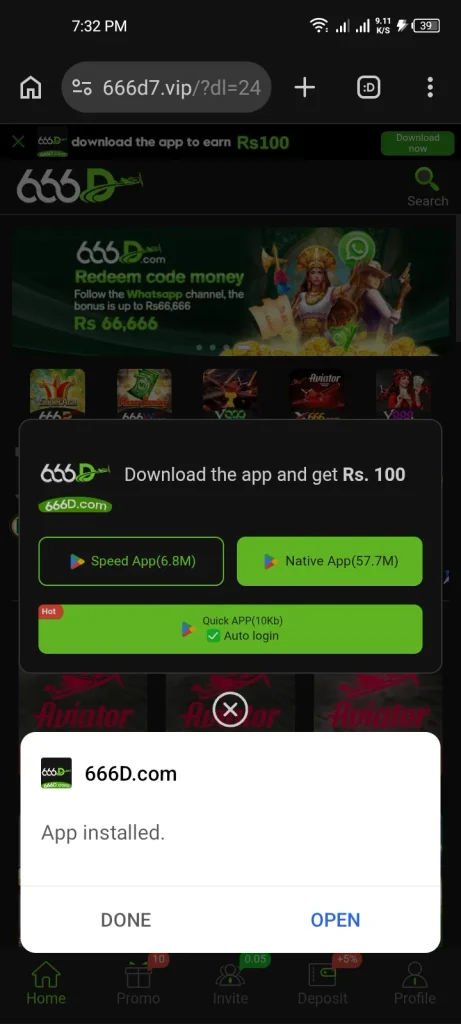
Go to your Downloads folder or open Downloads in Chrome and tap the 666D file. Then, choose Install and wait a few seconds. Once it completes, tap Open, enter your mobile number, and type the OTP you receive by SMS. Afterwards, set a strong password, and you are ready to begin.
Guide Using Screenshots
How to Use 666D on iPhone/IOS?
iPhone users can enjoy 666D through a simple web version that works directly in Safari. This method requires no APK file and takes only a few moments to set up. After adding the page to your home screen, the icon behaves almost like a regular app, giving you quick access whenever you need it. So, a stable internet connection helps the pages load smoothly and keeps the experience consistent.
Here is a simple step-by-step guide on how to play 666D on IOS:
- Open the new icon, create your account or log in, and start exploring the available options.
- Open Safari on your iPhone and go to the official 666D website.
- Tap the Share icon located at the bottom of the screen.
- Scroll through the options and select “Add to Home Screen.”
- Confirm the name and tap Add to place the icon on your home screen.
How to Access 666D on PC?
Users who prefer a larger screen can also open 666D on a computer. The process is straightforward and does not require any special software installation. Simply use a browser such as Chrome or Edge; then visit the official website and log in with the same mobile number and password you created on your phone or on your PC. This approach works well for those who want a more comfortable view while managing their account or checking activity history. Keep a stable internet connection for the best results.
Follow these simple steps to play the game on PC:
- Open Google Chrome, Microsoft Edge, or another browser on your PC.
- Type the official 666D website address into the search bar and press Enter.
- Click the login or register button on the main page.
- Enter the same mobile number and password you use on your phone.
- Complete the OTP verification if requested and begin using the available features.
666D APK System Requirements
Older phones with limited memory may load screens a little more slowly, but the app still works on most devices used in Pakistan.
| Requirement | Details |
|---|---|
| Operating system | Android 5.0 or higher |
| RAM | 2 GB or more |
| Free storage | 150 MB minimum |
| Internet | Stable Wi-Fi or mobile data |
| Payment Methods | Easypaisa/JazzCash |
Is 666D APK Safe to Download in Pakistan?
The official 666D APK download is safe when downloaded from a verified source. Always check the website address carefully and avoid files shared through WhatsApp, Telegram, or random links. After installation, review the permissions the app requests. Never share your OTP or password with anyone who claims to be from support.
How to Spot a Fake 666D APK? (Important Safety Guide)
Fake files often appear on unofficial websites and messaging groups. Protect yourself with these simple checks:
- Read the full web address letter by letter before downloading.
- Avoid any file described as “special”, “mod”, or “unlocked”.
- Compare the file size with the one shown on the official page.
- After installation, check the permissions and never enter your details on suspicious screens.
Fix Common Download and Install Errors
Sometimes a download or installation does not go as planned. Fortunately, most problems have simple fixes. First, make sure you have enough free storage and a steady internet connection. Next, delete the incomplete file and download it again from the official page. If an older version is already installed, remove it before trying again. Finally, restart your phone and check that it meets the requirements. These quick steps usually resolve the problem.
“App Not Installed” or Parse Error
This usually means the file is incomplete or damaged. Delete the current file, free up some storage space, and download it again on a steady connection. If an older version is already on your phone, uninstall it first and try once more.
Play Protect Warning or Stuck Download
Google Play Protect sometimes flags apps that are not from the Play Store. If you are certain you used the official page, you can choose to install anyway. If the download freezes, switch between Wi-Fi and mobile data, or restart your browser and start the download again.
How to Update 666D to the Latest Version?
When a new version becomes available, the app usually shows an update prompt. Simply tap it and follow the on-screen instructions. You can also return to the official download page, get the newest file, and install it over the existing version. Your account remains linked to your mobile number, so logging in with the same details is enough.
What to Do After Installing the 666D Game?
After the app opens for the first time, create your account using the Register option or log in if you already have one. Once inside, you can explore the available activities. When you are ready to add balance, open the Deposit section and choose from the payment methods currently shown. The Withdraw section explains how to request your earnings. Payment options in Pakistan can change from time to time, so always use the methods displayed inside the app.
666D APK Version History & Changelog
- v2.5.1 (October 2026) – Improved loading speed and minor interface updates.
- v2.4.8 – Better stability on low-memory devices.
- v2.3.5 – Faster registration and OTP delivery improvements.
Conclusion
In a nutshell, downloading 666D becomes simple when you follow the official steps for Android, iOS, or PC. Always choose the verified source to avoid modified files and enjoy a smooth installation process. After setup, create your account, explore the available options at your own pace, and manage your balance through trusted local methods. Keep personal limits in mind and treat every session as light entertainment. With the correct file and careful habits, 666D offers a convenient mobile experience for users across Pakistan.
FAQs
The APK file itself is free. Some activities inside the app may require a balance.
The app is distributed directly through its official website; that is why Android asks for permission before installation.
Android 5.0 or higher is required. For the smoothest experience, Android 8.0 or above is recommended.
Delete the incomplete file, free up storage space, and download it again from the official page on a stable connection.
Yes. Open the official website in Safari and add it to your home screen for quick access.